Pushing Commits to GitHub
When you commit code this creates a save point kept in a local repository on your computer.
To be sure you have a backup and to share your work with Mr. Gordon and others, you must also push your code to a remote.
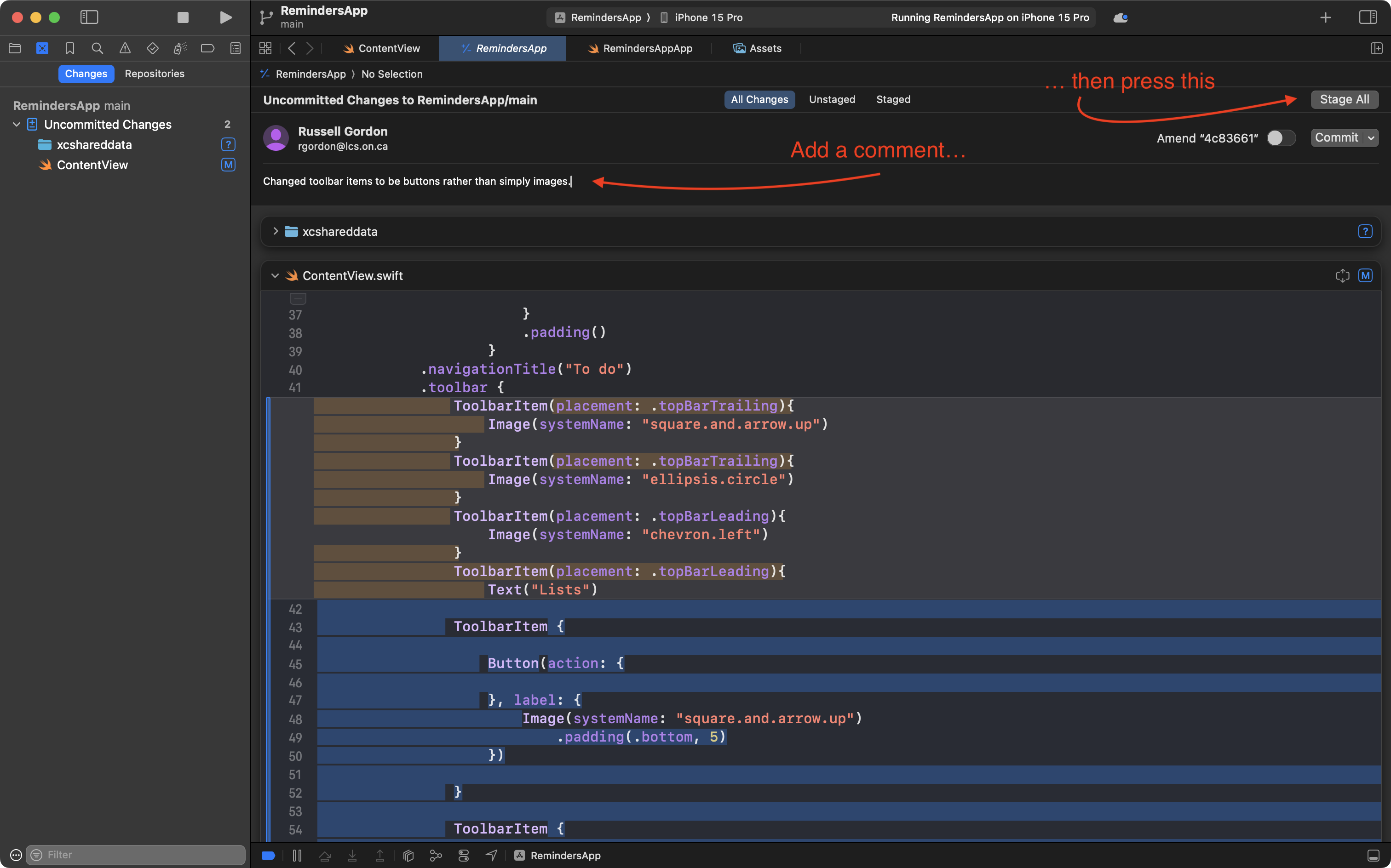
Describe your work and stage changes
First, write a message for your commit, then stage your changes:
Commit and push
You can then commit and push in one step:
.png)
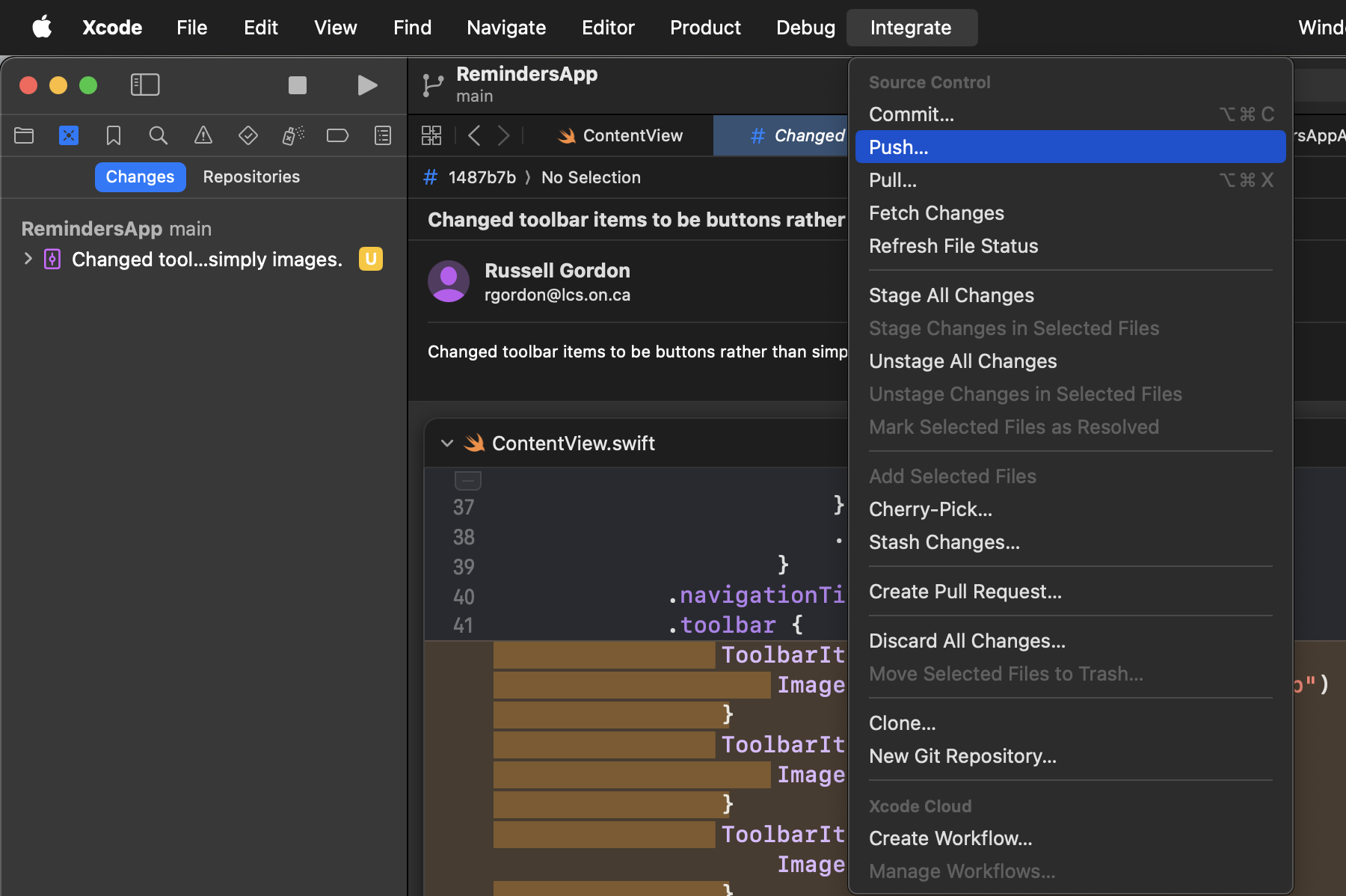
Push all commits
If you have forgotten to push when making commits locally, you can push all commits to the remote like this: