Creating a To-do List App
Over the next few classes, you will learn how to use both a local database and a cloud-hosted database to persist data (keep data permanently) within an app.
Let's get started!
Build the static interface
Once you are satisfied with a prototype for an app, a great first step when beginning to author code is to create a static interface.
That means you create a user interface that looks like a functioning app, but holds information that cannot change.
The app appears to be complete but is not yet interactive.
Once you have built a static interface, you can then add logic to make the app come to life.
So, the first step in creating your to-do list app will be to create the static interface.
Using what you remember from the first two threads of this course, work alone or with a partner to reproduce this user interface:
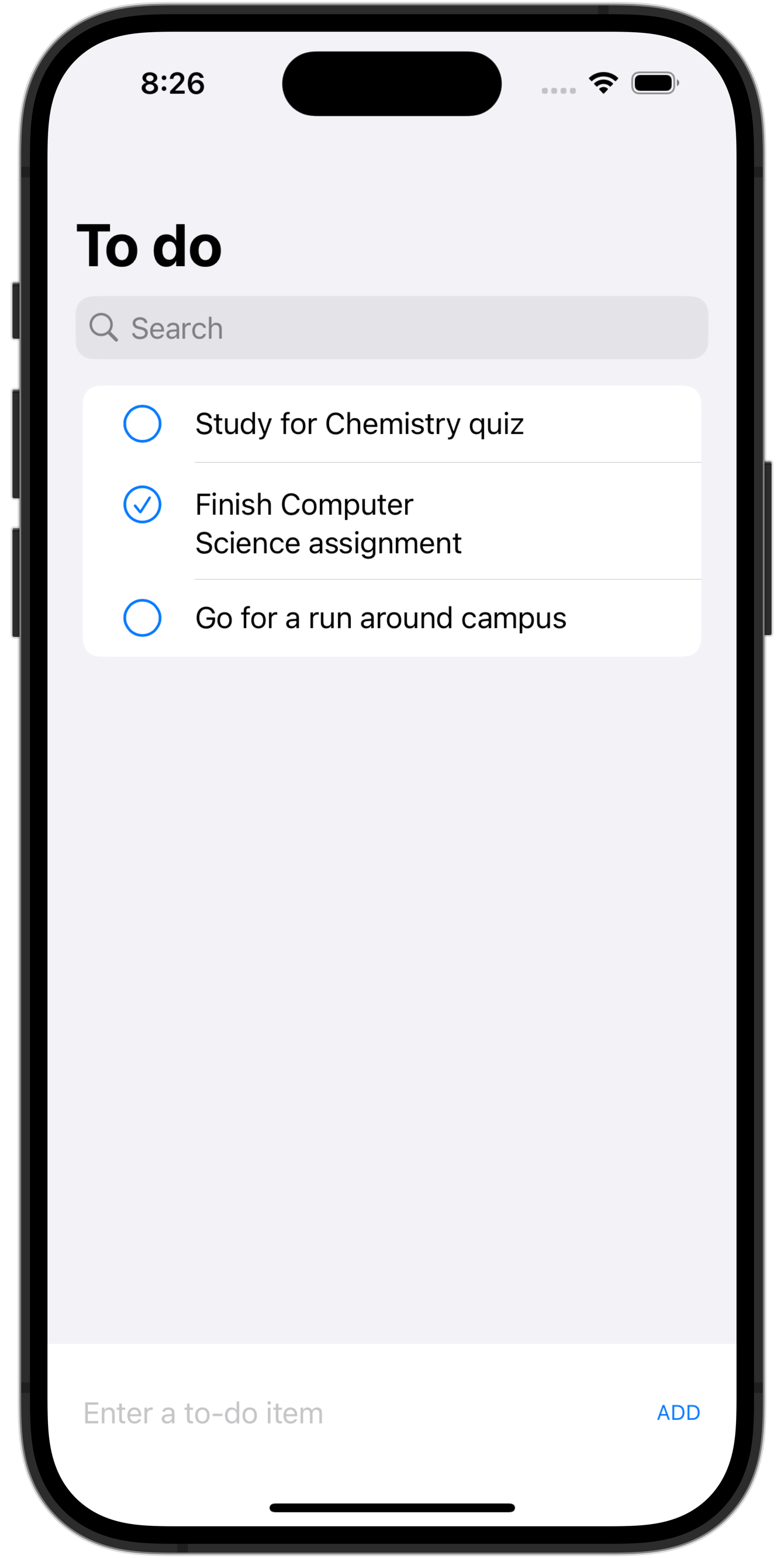
As a hint, here is part of the code needed to get started:
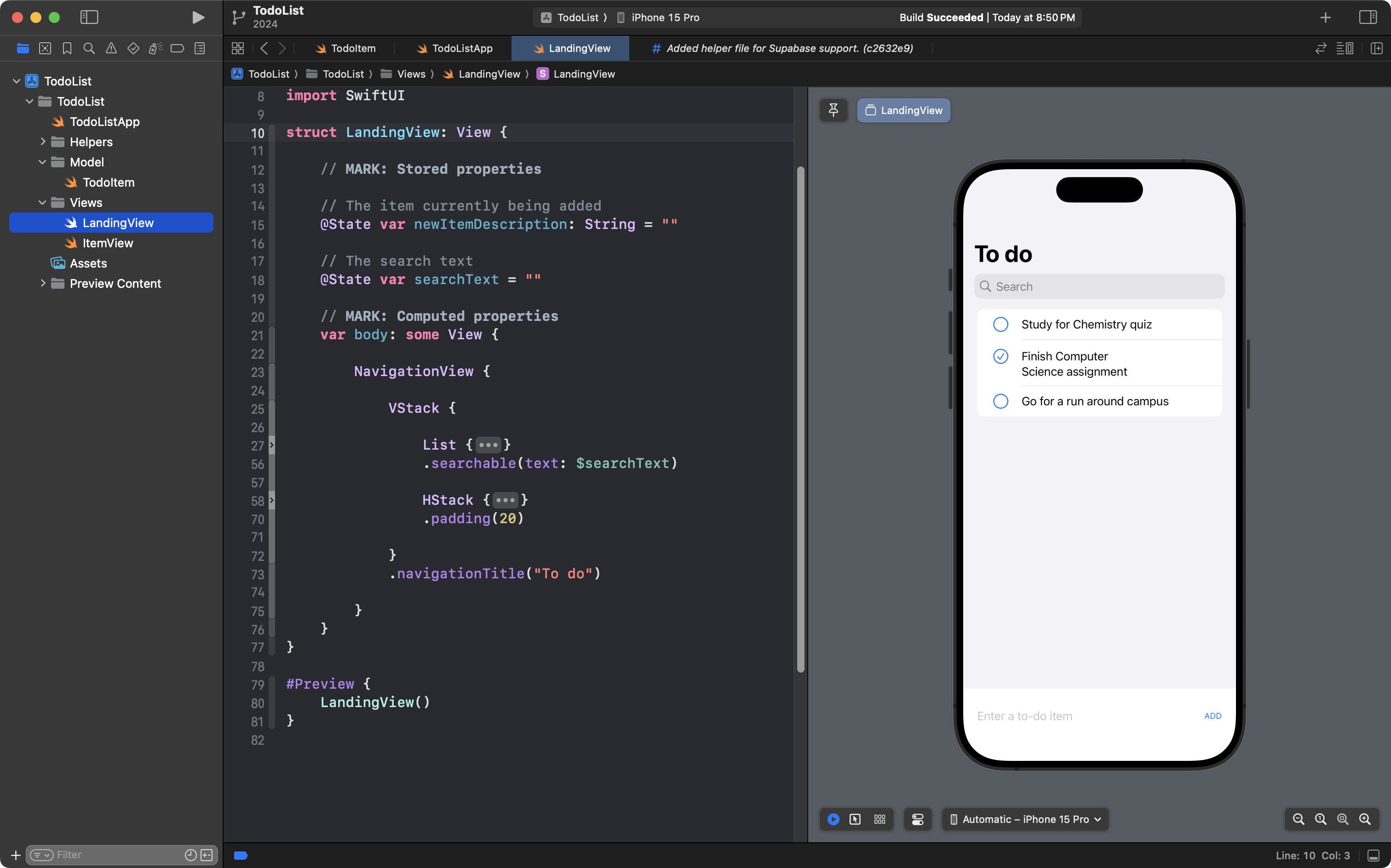
And remember... D.R.Y.!
When you have finished this part of the tutorial, in your next class, you can continue on to part 2.