Introduction to Databases (Solutions)
1
Find a list of all the departments in the company.
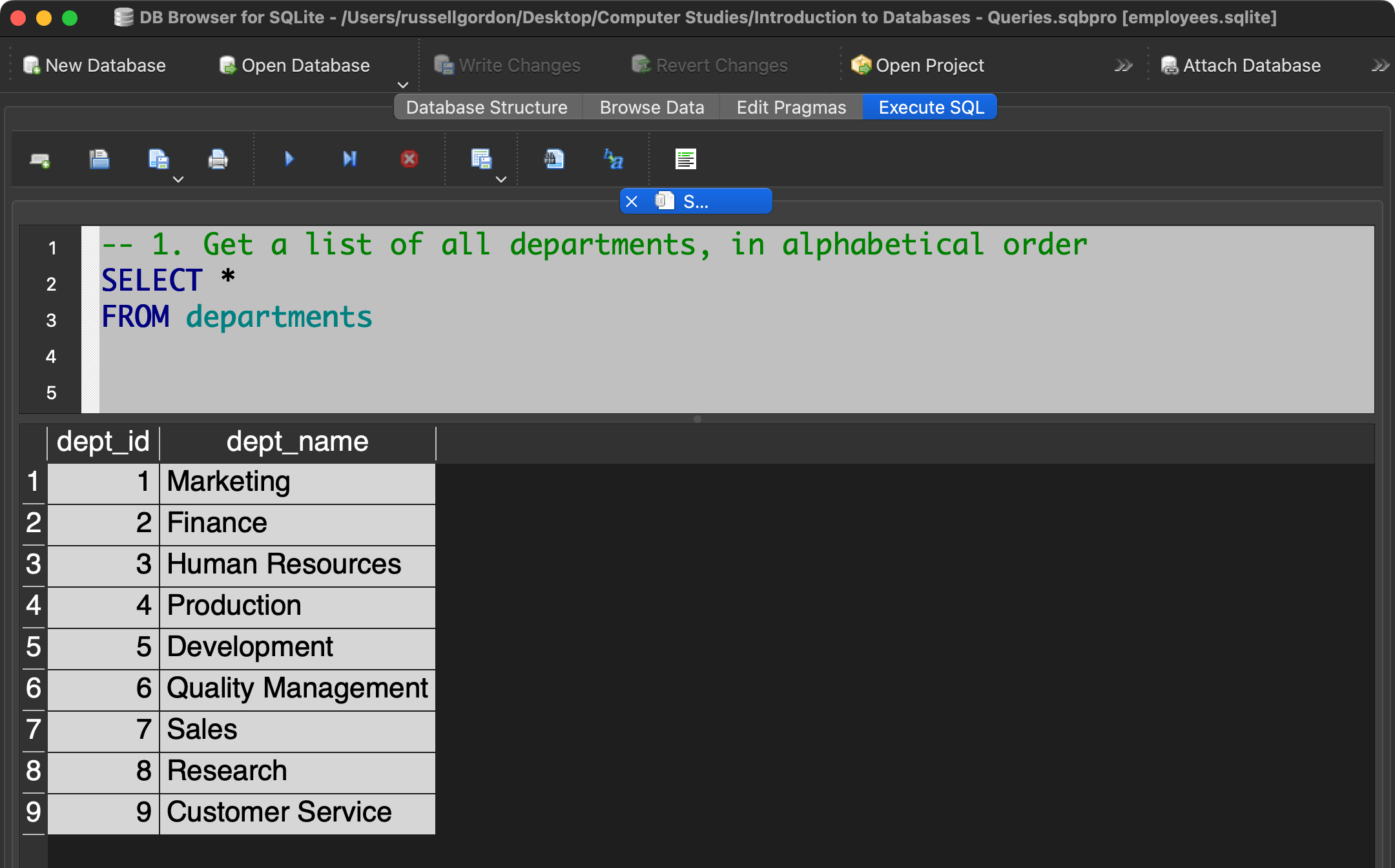
Alternatively, we could select just the dept_name column from the departments table.
2
Write a query to get the details for the first 25 employees in the employee table ordered by first name, descending.
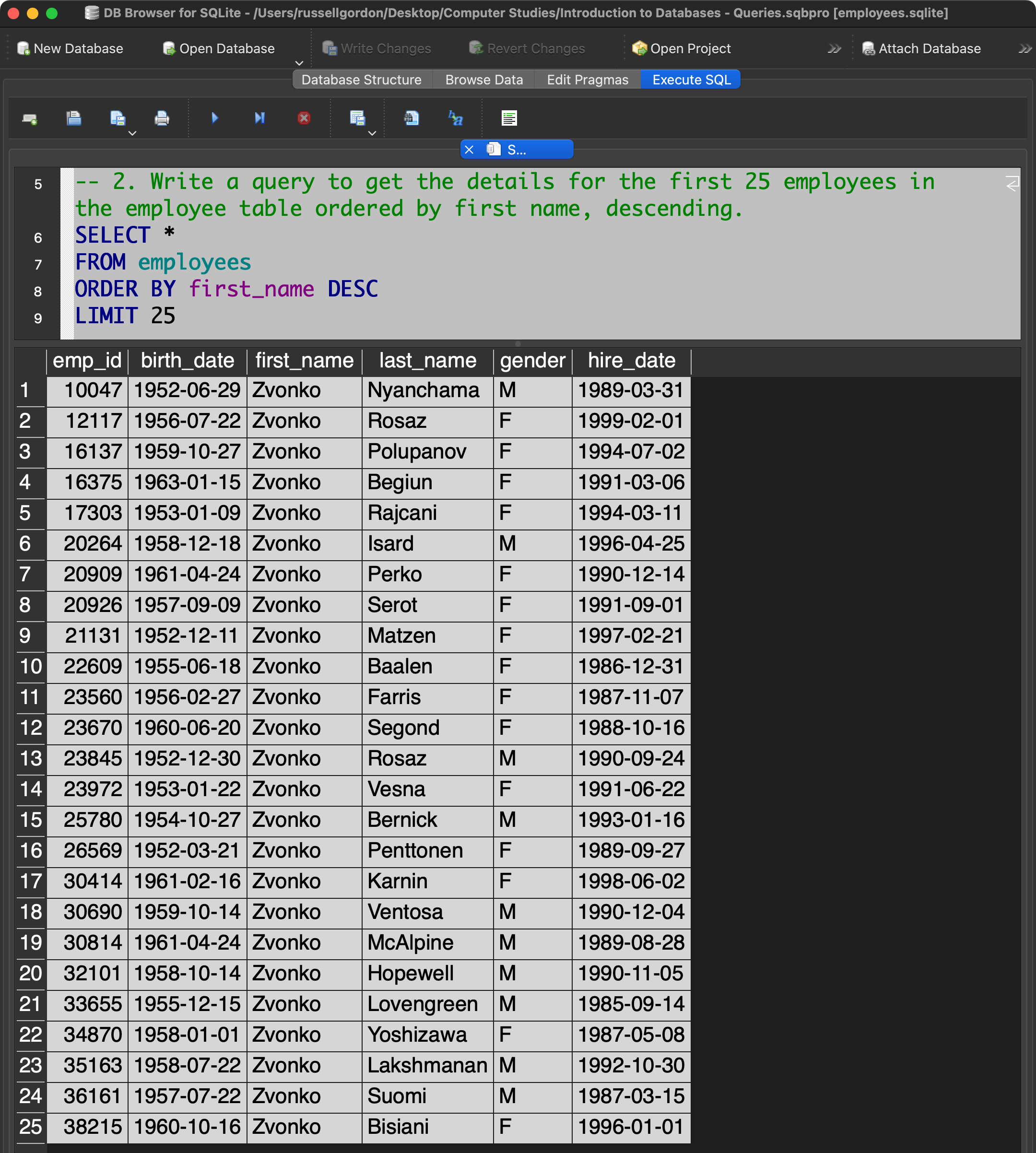
The results for this query would be more useful if sorted by last name after the first name, like this:
ORDER BY first_name DESC, last_name DESC
Try making this change to the query and compare the new results to the original results.
3
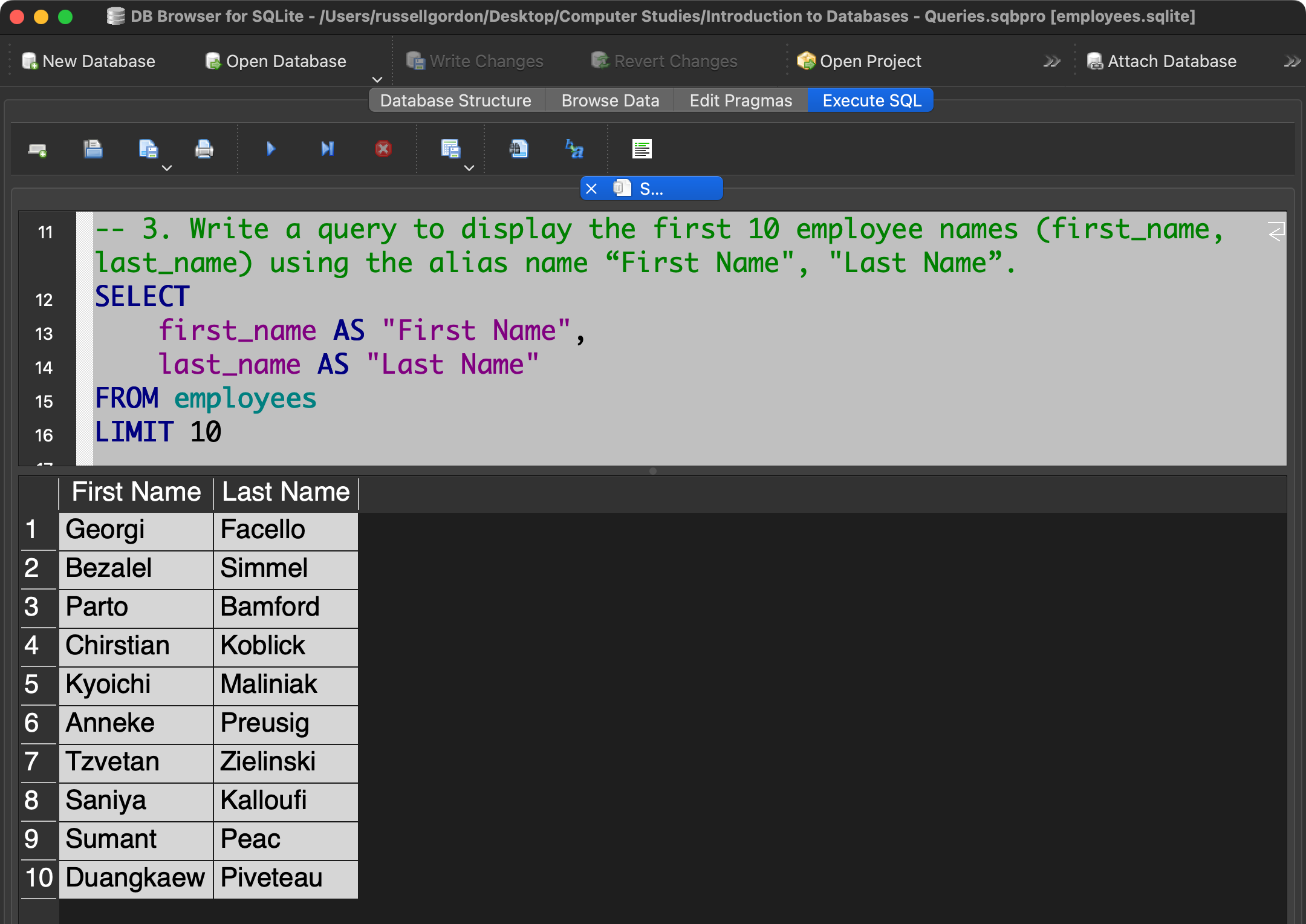
Write a query to display the first 10 employee names (first_name, last_name) using the alias name “First Name", "Last Name”.
4
How many male employees are there? How many female employees?
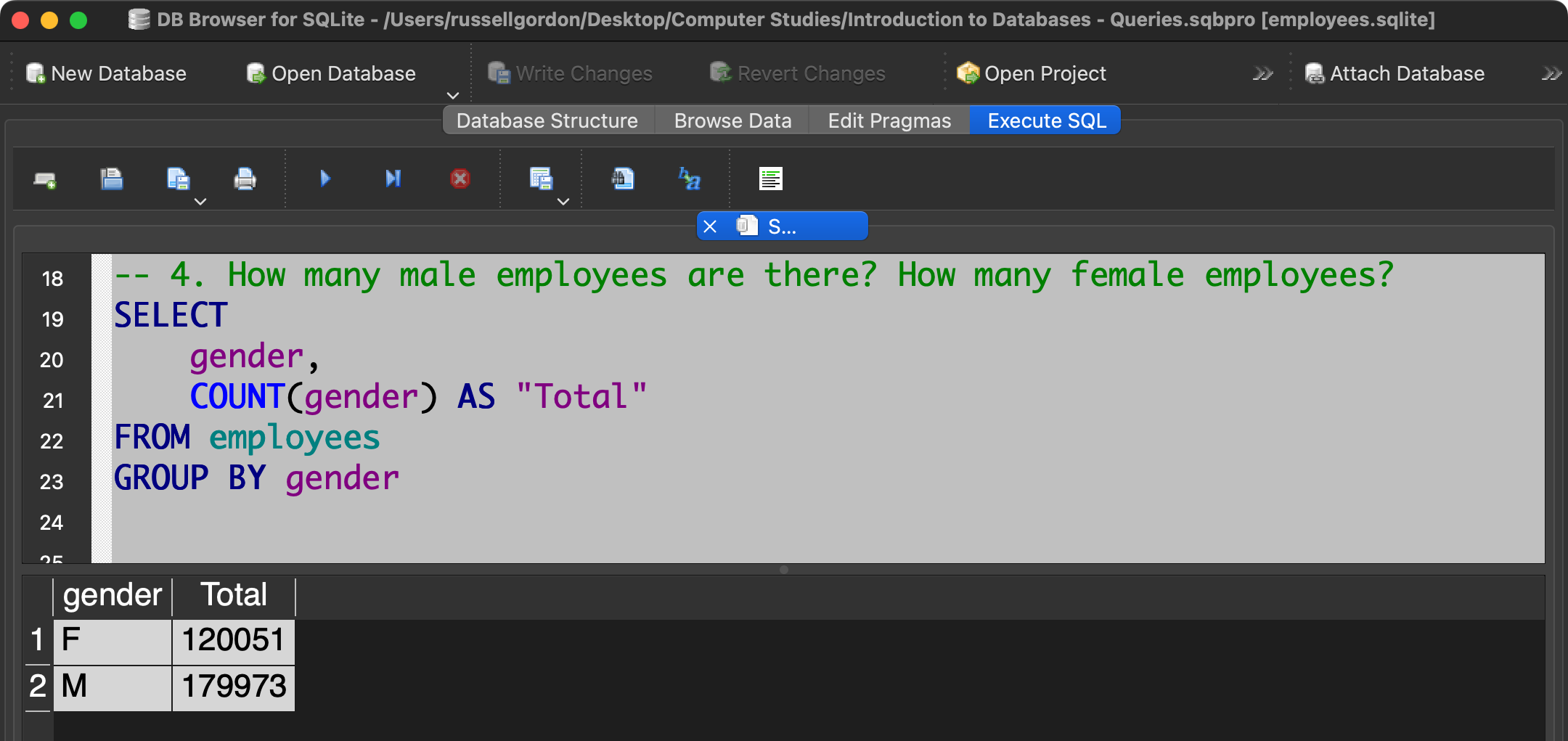
We can obtain these totals using separate queries. However, it can be done in a single query – using the GROUP BY clause together with the COUNT function allows us to obtain a subtotal for each unique value found in the gender column.
5
Write a query that lists all the salaries for employees in the company, in ascending order.
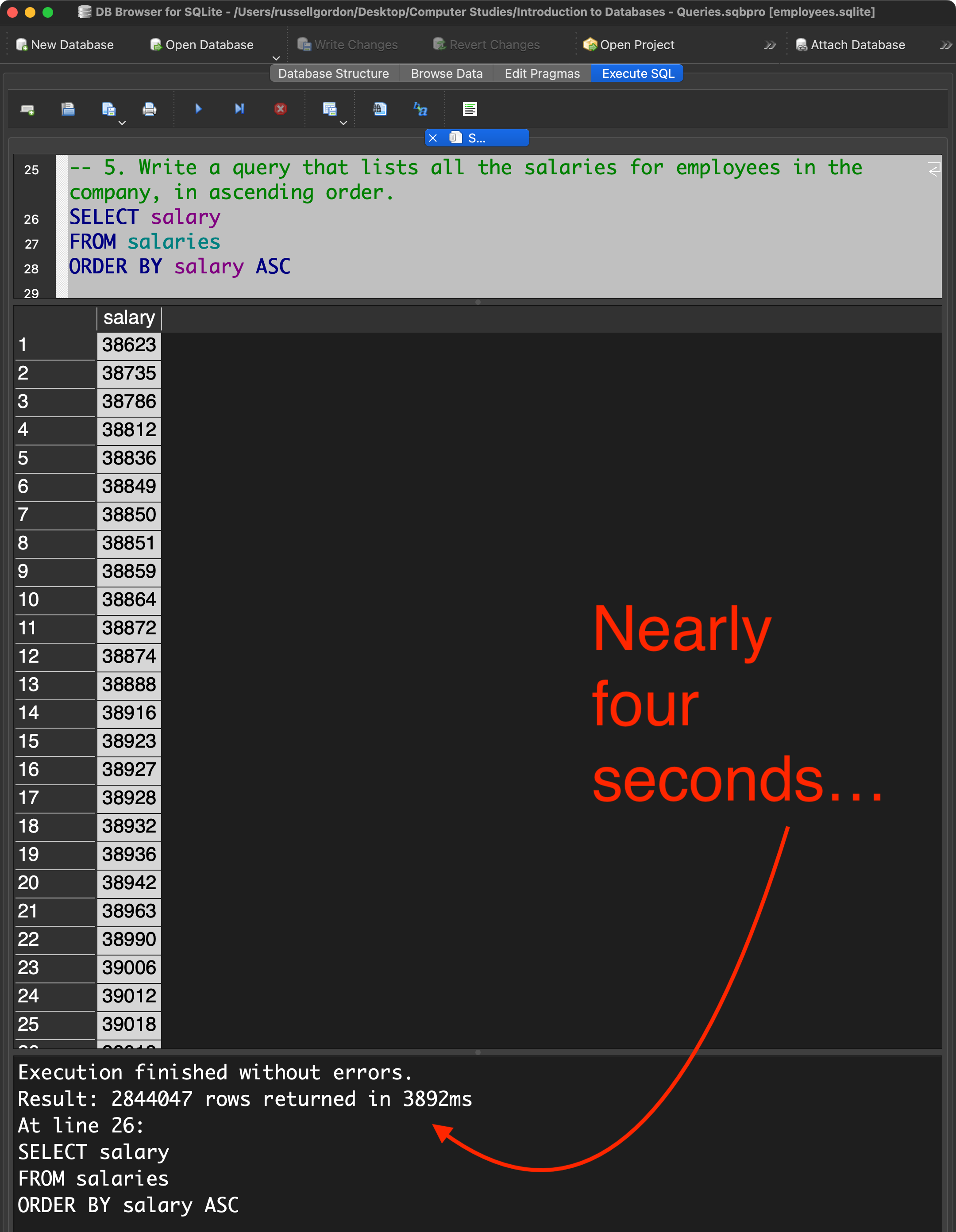
Apologies as this query may have taken a long time to execute on your computer. It took almost four seconds with an M1 Pro processor; this took a lot longer to run on Macs with older processors.
6
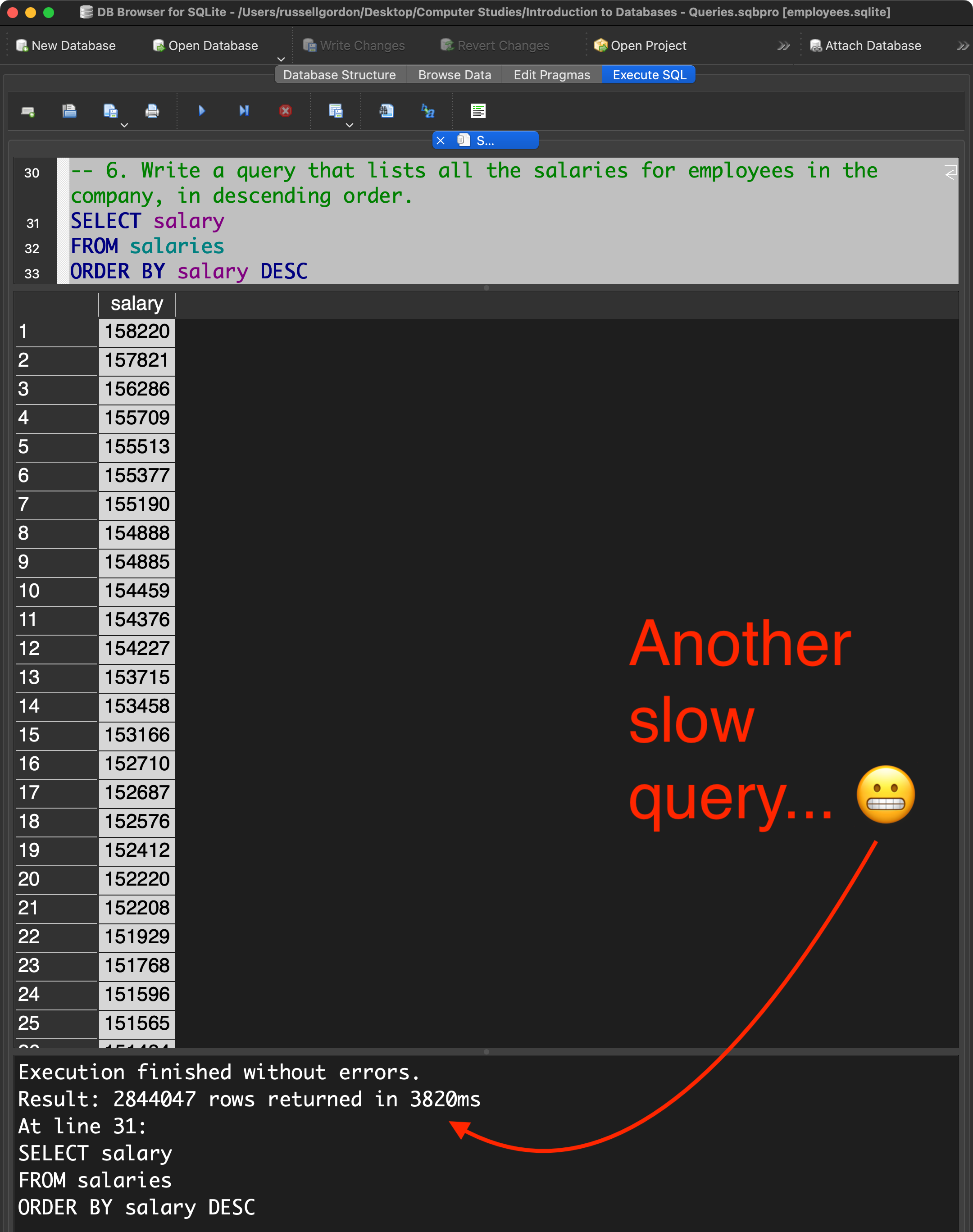
Write a query that lists all the salaries for employees in the company, in descending order.
7
Write a query to get the total salaries payable to employees.
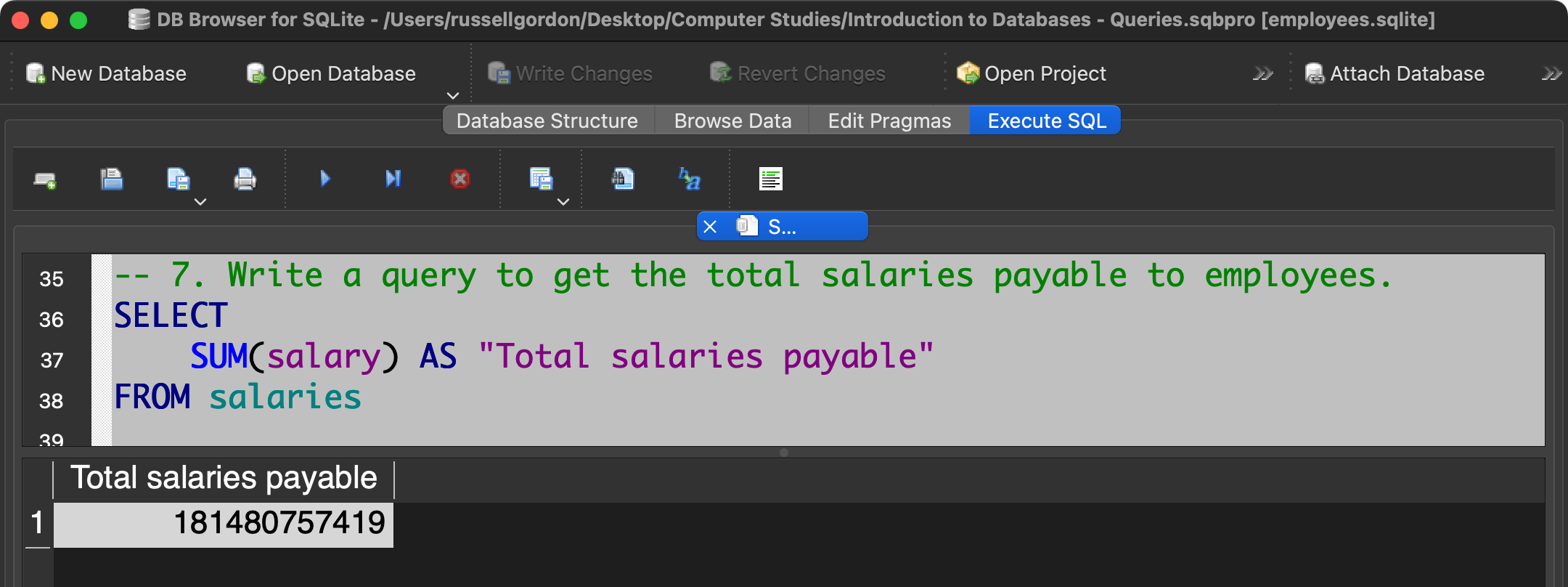
Use of the alias:
SUM(salary) AS "Total salaries payable"
...is not strictly required, but helps to make the results more readable, since the column title will show as "Total salaries payable" rather than SUM(salary).
8
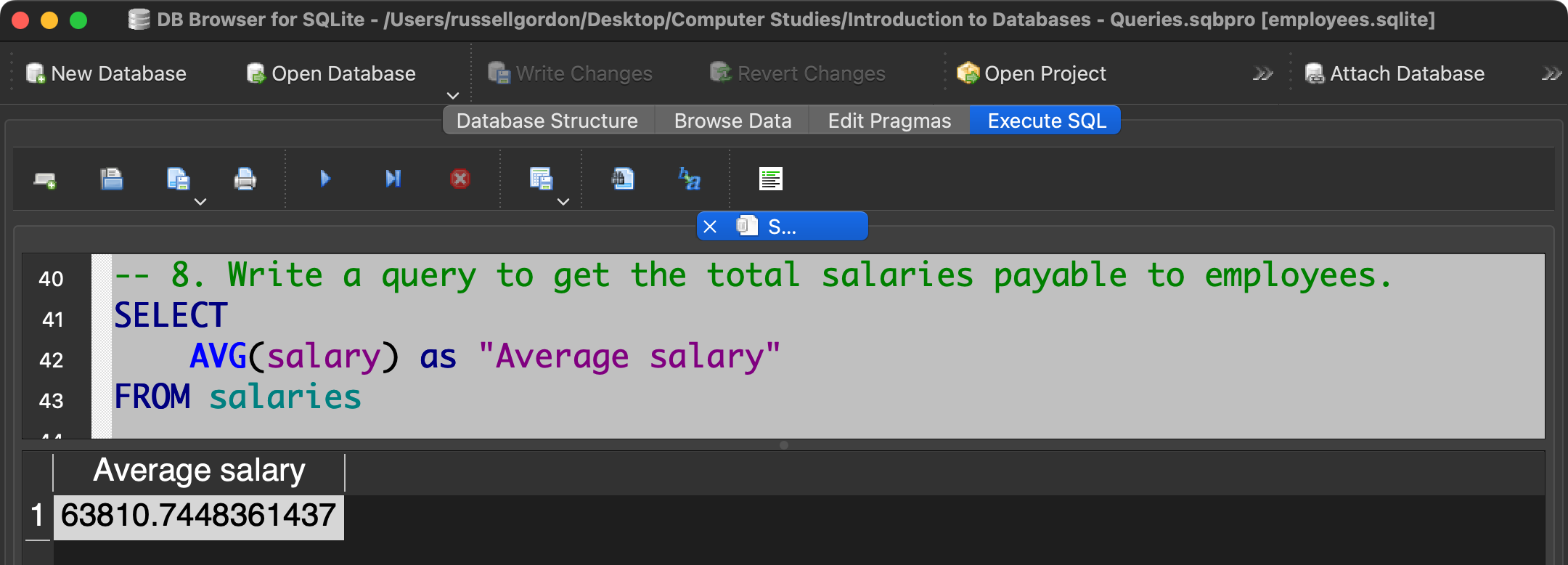
What is the average salary for all employees?
9
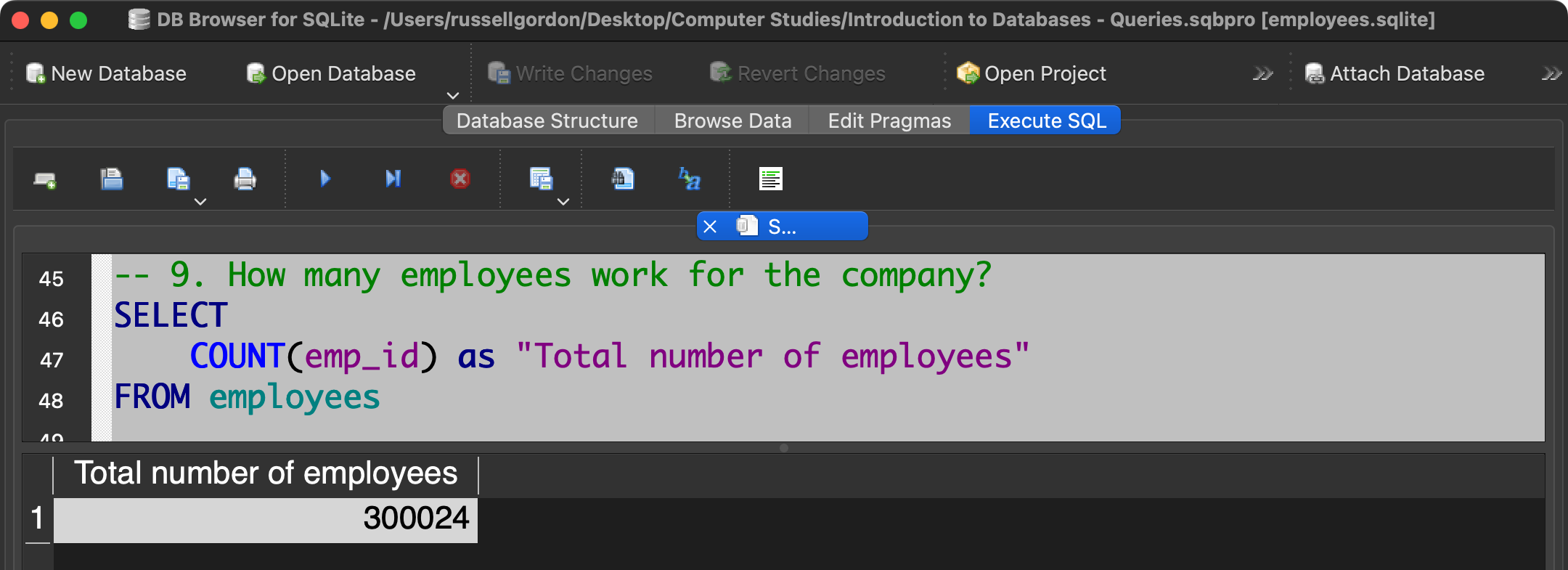
How many employees work for the company?
10
Find a list of employee IDs where the salary paid is greater than $60000.
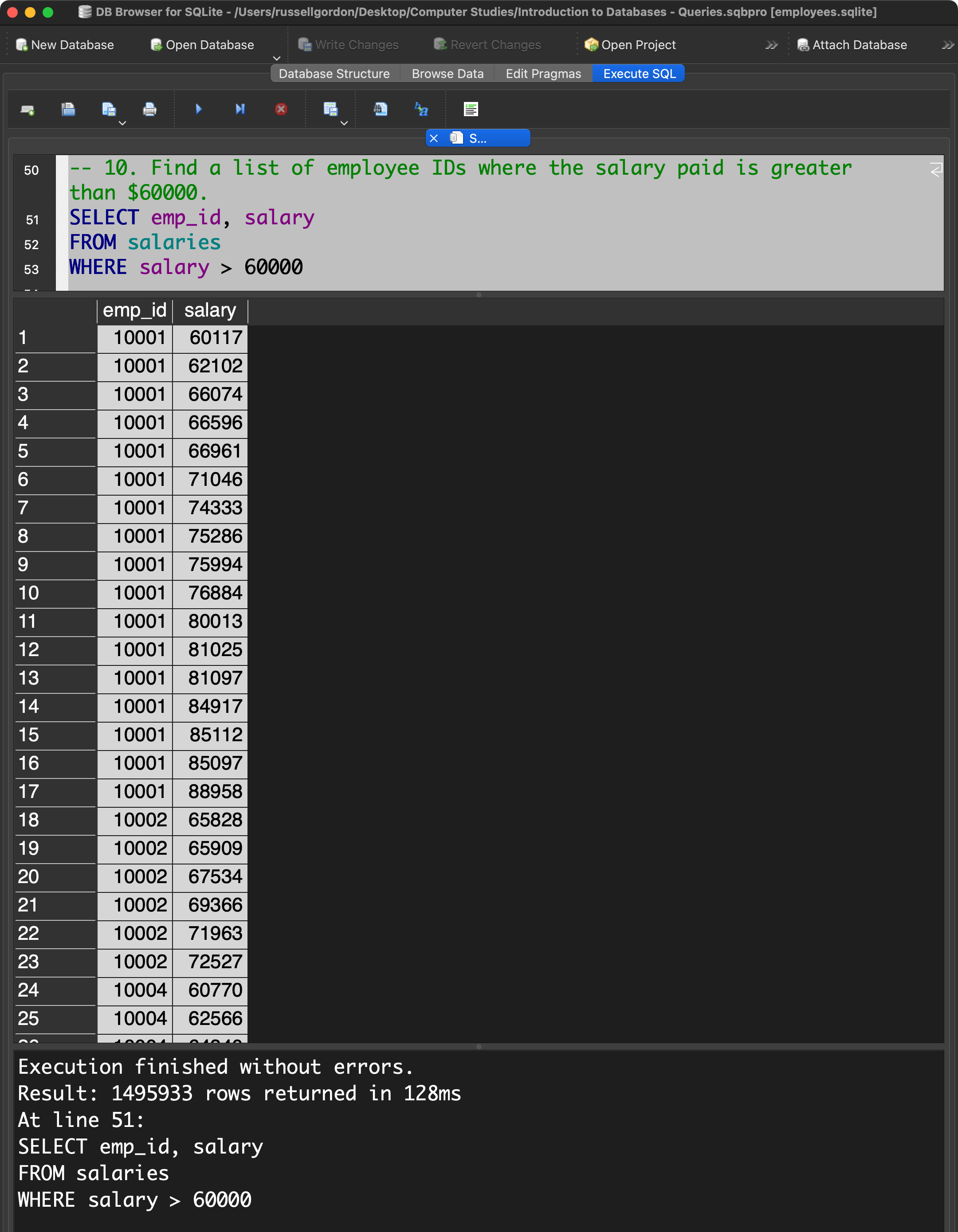
The WHERE clause is useful for filtering the list of rows that are returned based on some provided criteria – in this case – only rows where the salary value is more than $60000 are returned.
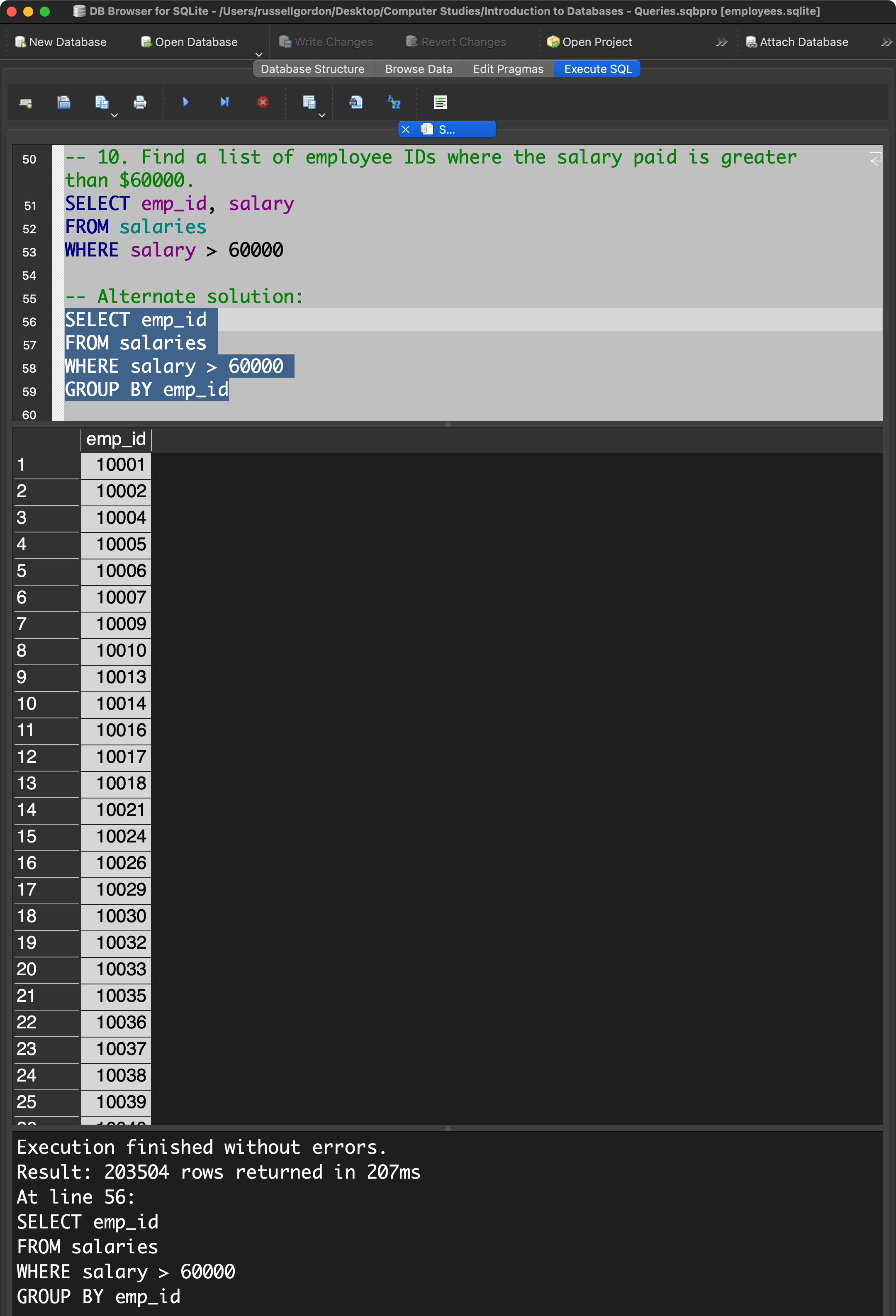
An alternate solution to this question provides a list of employee ID's without duplicates, by adding the GROUP BY clause:
SELECT emp_id
FROM salaries
WHERE salary > 60000
GROUP BY emp_id
11
How many employee IDs have been tied to a salary that is greater than $60000?
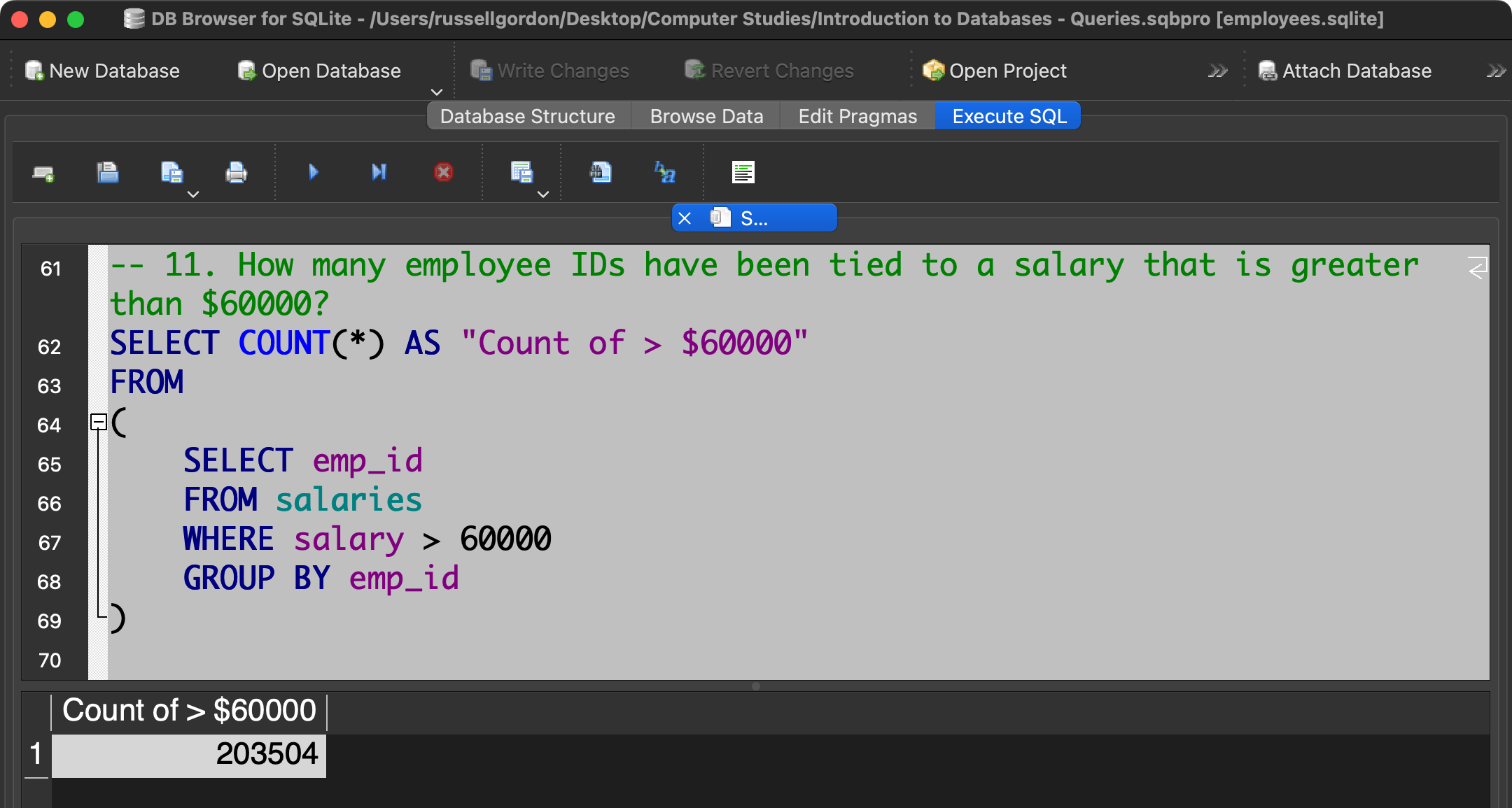
Here we begin making use of sub-queries.
Think of this as a two-step process.
First – with the innermost query – the sub-query – we find the list of unique employee ID's tied to at least one salary that was greater than $60000.
Then – with the outer query – we count the number of rows returned by the sub-query.
12
Find a list of employee IDs where the salary paid is in the range $60000 to $70000.
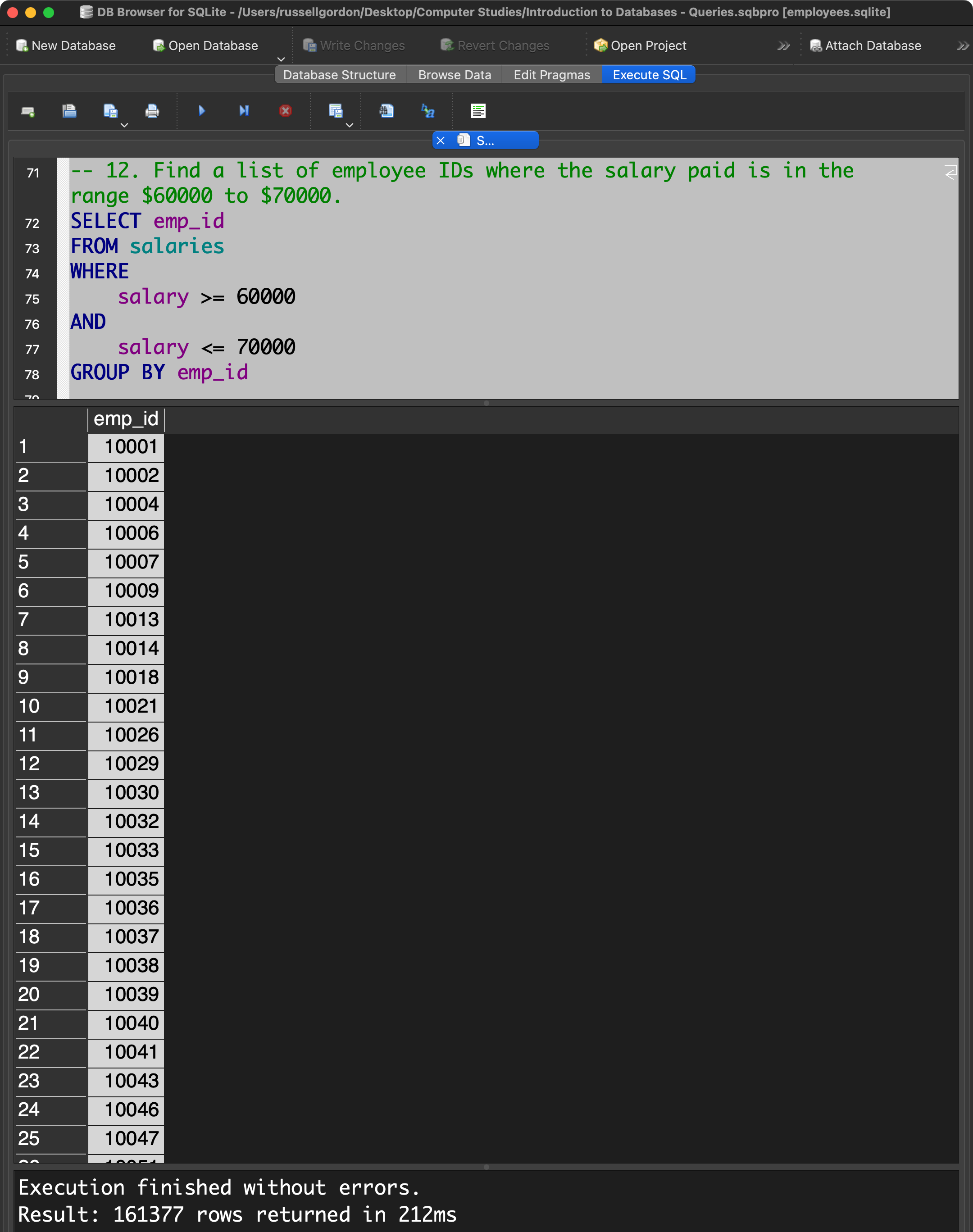
Here is an alternate solution to this question:
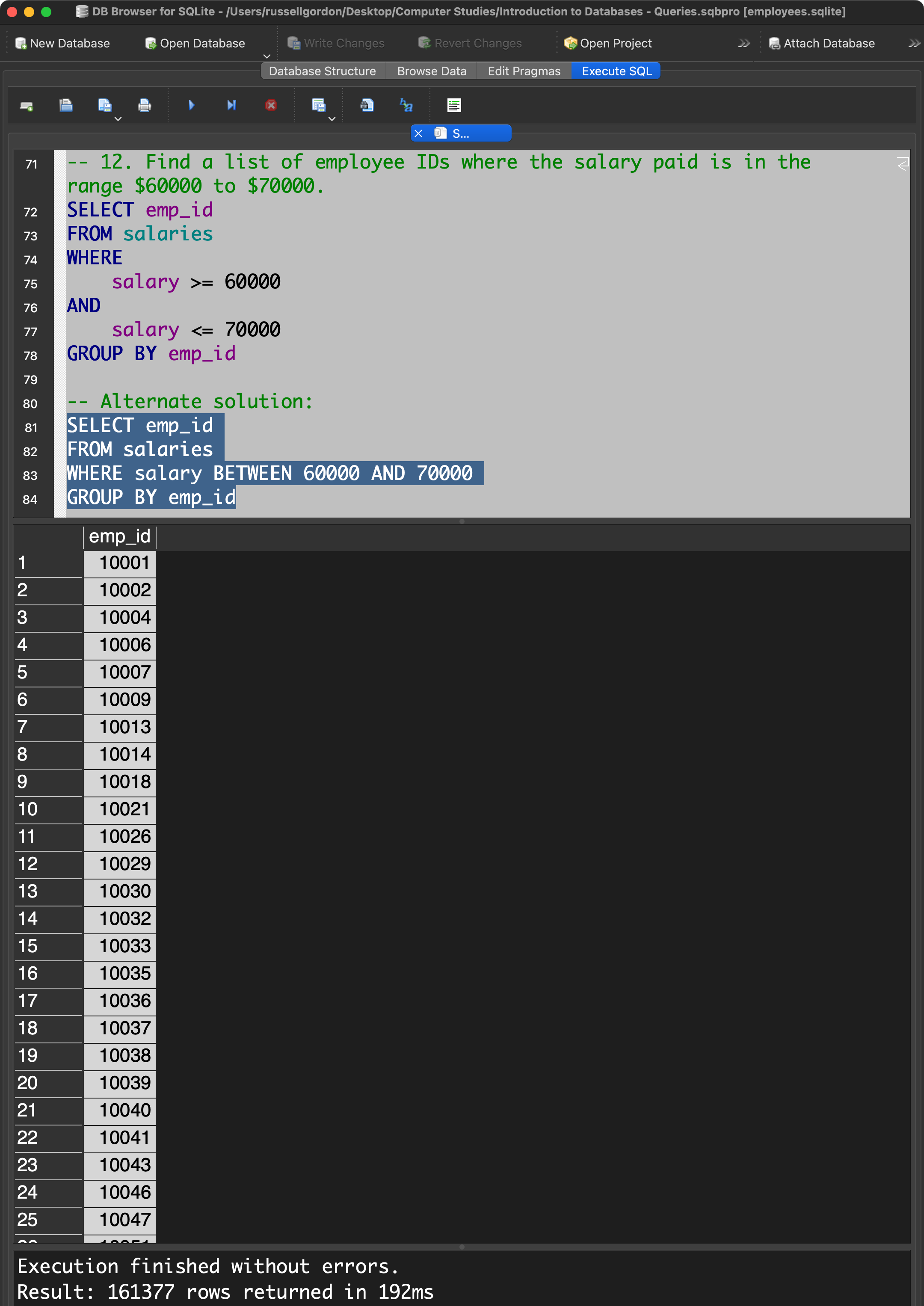
Consider – which syntax do you prefer? Is one version of this query clearer than the other with regard to what range of values it is looking for?
13
How many employee IDs have been tied to a salary in the range $60000 to $70000?
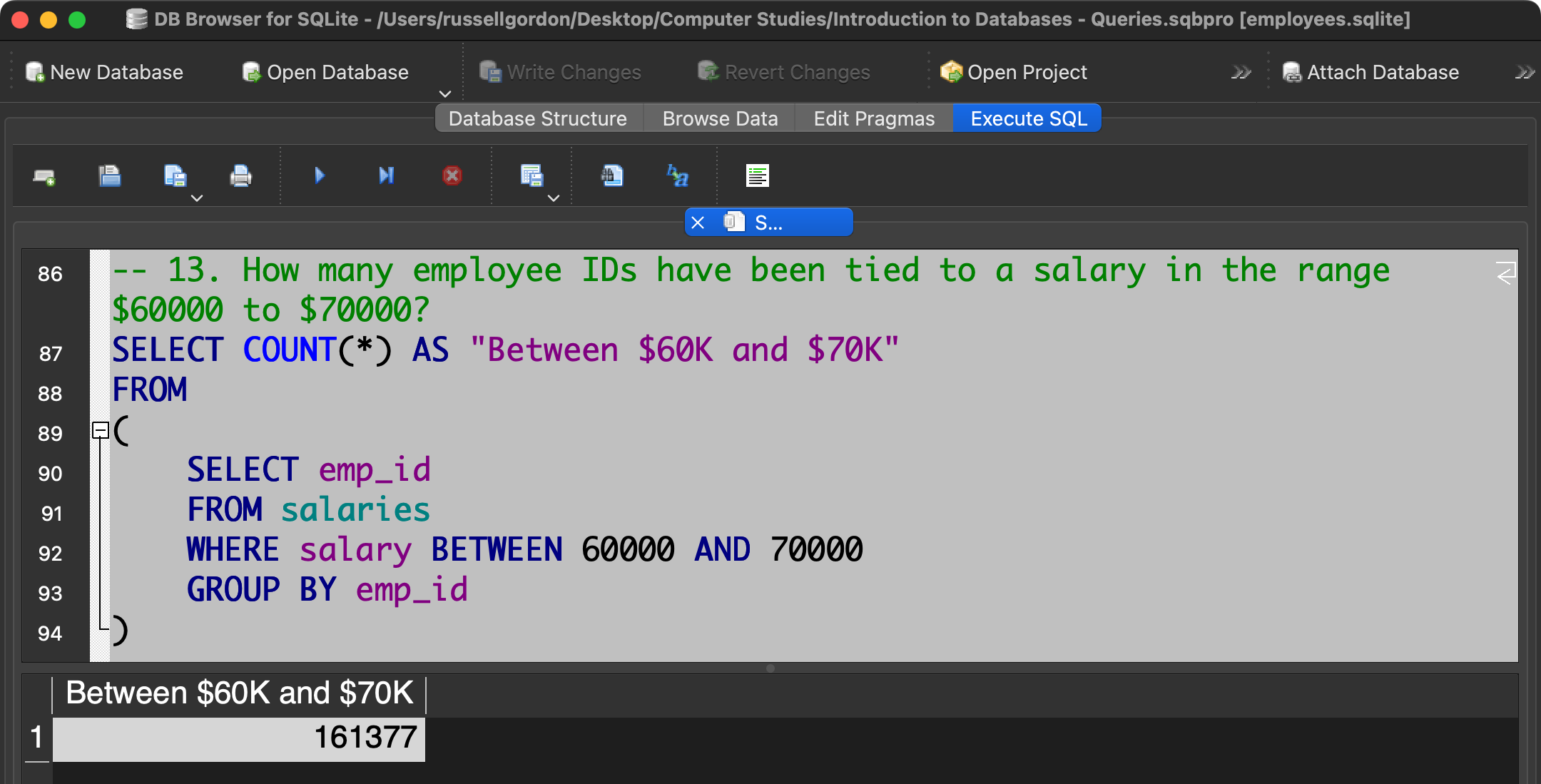
Here a sub-query is used again.
The innermost query is the same as the solution to question #12. It returns all the rows where an employee was at least once tied to a salary in the desired range.
The outermost query counts how many rows were returned in the sub-query.
14
Find a list of employee IDs whose salary is not in the range $60000 to $70000.
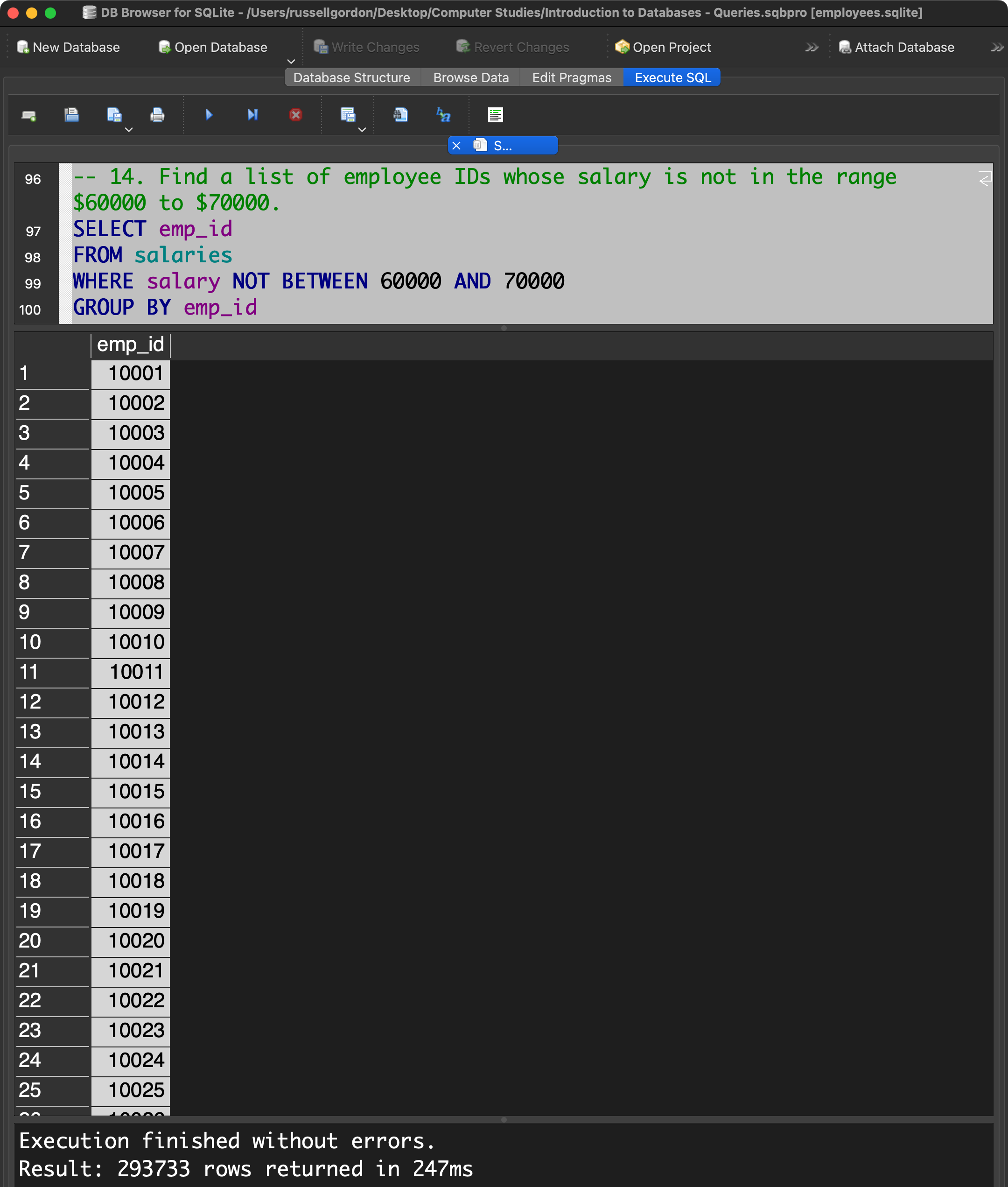
The NOT keyword provides the logical inverse of the set of rows returned by the query from question #12.
At first glance, the results above may seem incorrect.
For instance: how can the employee with ID 10001 have a a salary that is both between $60000 and $70000 and outside of that range?
That is possible because the employee had different salaries at different points in time.
This becomes apparent if we adjust the results of the query by removing the GROUP BY clause and taking a look at the data in all four columns:
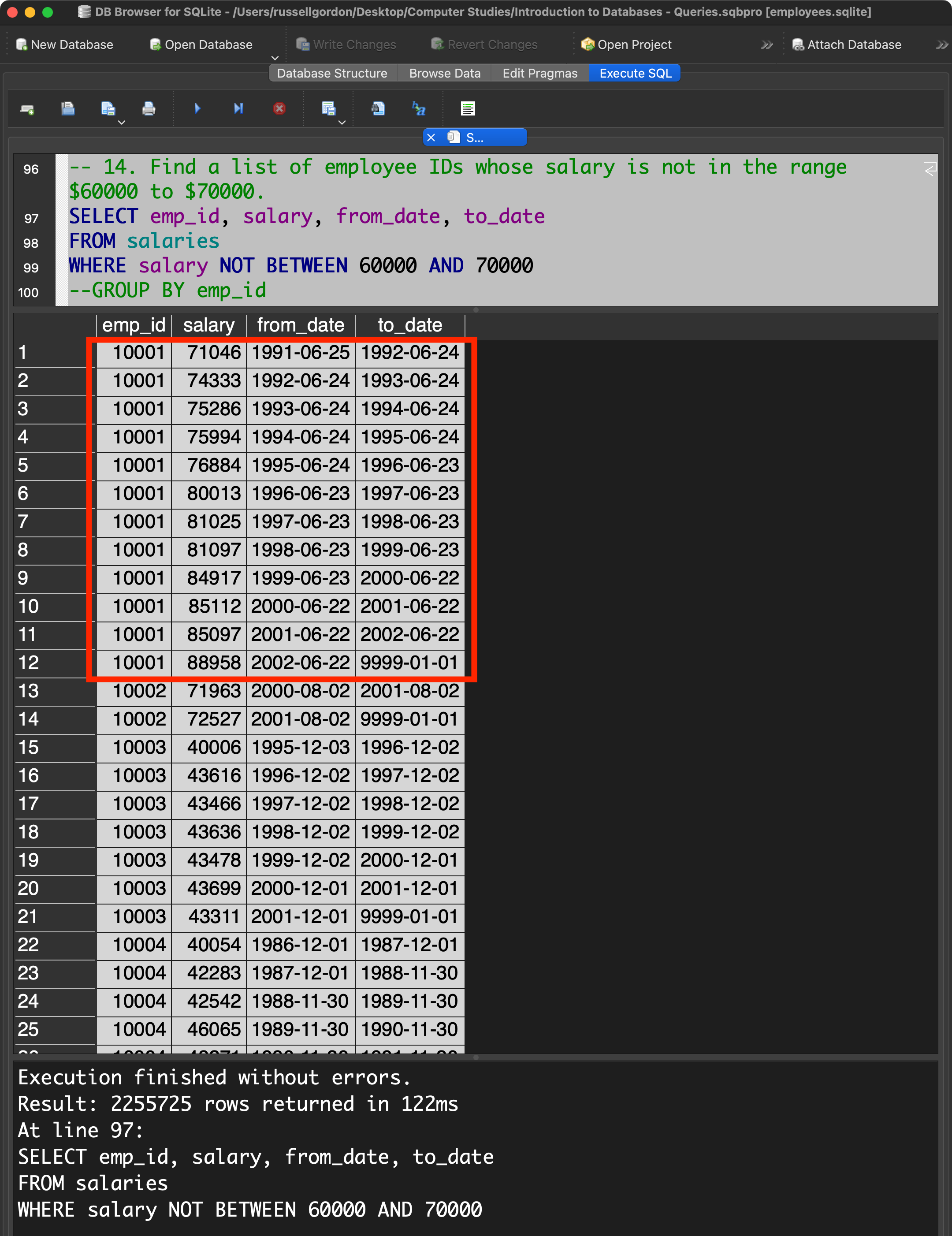
We can see that as time went on, the employee with ID 10001 received several raises. We can infer that prior to June 25, 1991 the same employee had a salary lower than $70000, which is why that employee ID also shows up in the rows returned by the query from question #12.
15
Find only the maximum and minimum salary paid to employee number 10012.
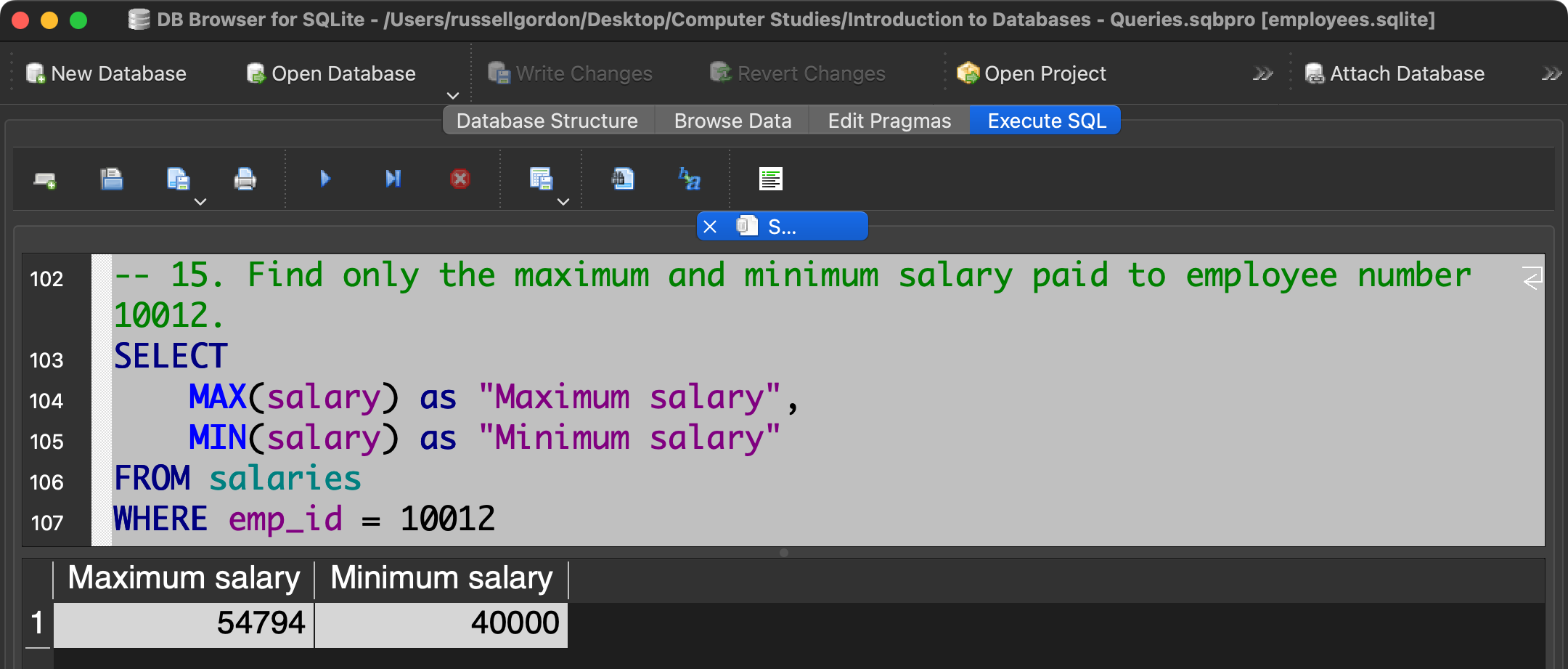
Try running just the following query:
SELECT
salary
FROM salaries
WHERE emp_id = 10012
You will see the set of rows showing all salaries that have been tied to employee ID 10012.
By adding the MAX and MIN functions to the query, we are picking out only the highest and lowest values in the list of rows returned by the simpler query.
16
Find the maximum and minimum salary paid to all employees.
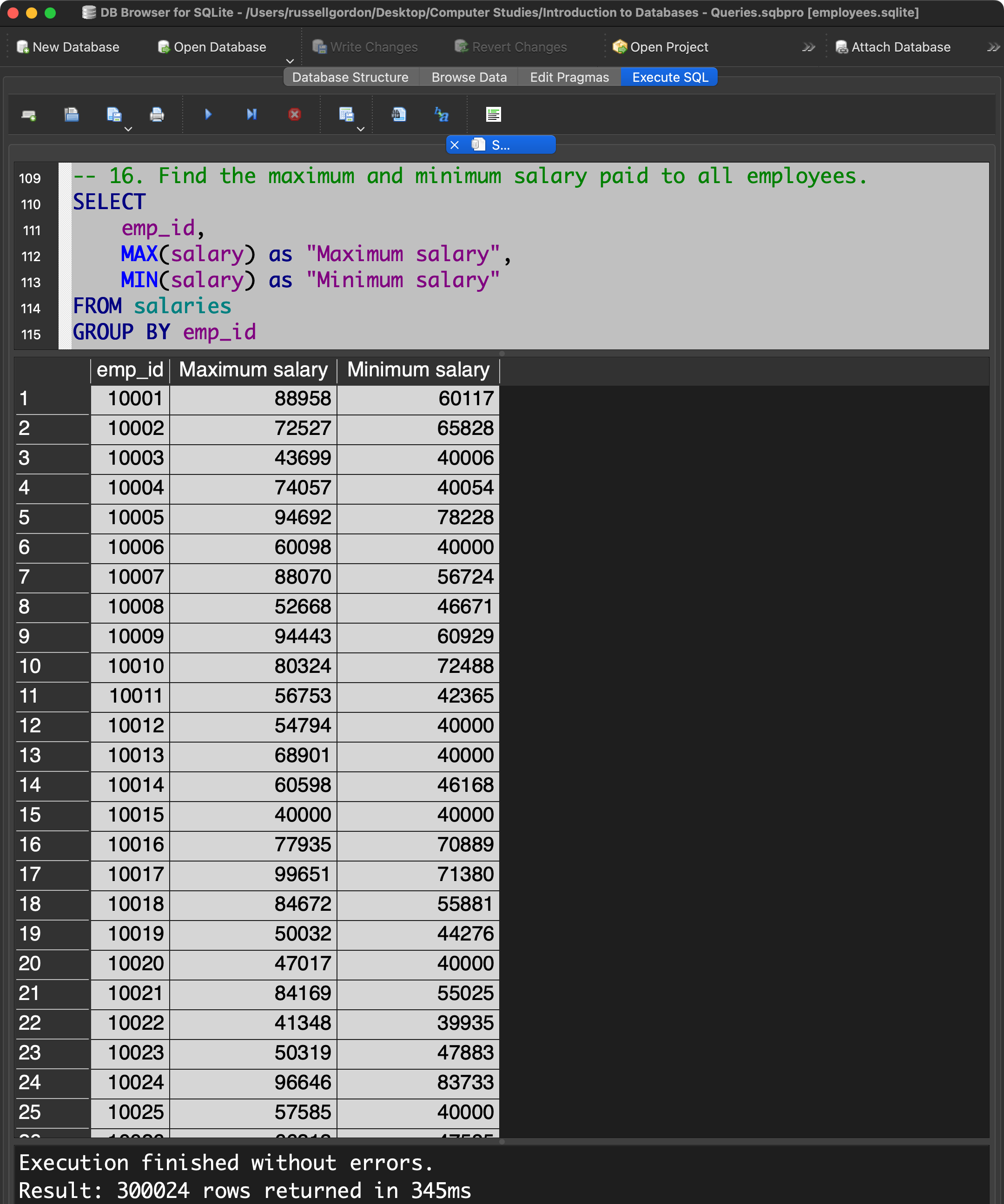
Without the GROUP BY clause we would get the maximum and minimum salary paid to the entire set of employees at the company. That is, the highest single salary paid to anyone, and the lowest single salary paid to anyone.
By using the GROUP BY clause on the emp_id column, we are telling the database to give us the maximum and minimum salary for each individual employee at the company.
17
Write a query to display the first name and last name of all employees who have both "b" and "c" in their first name. Order the results by first name, then by last name.
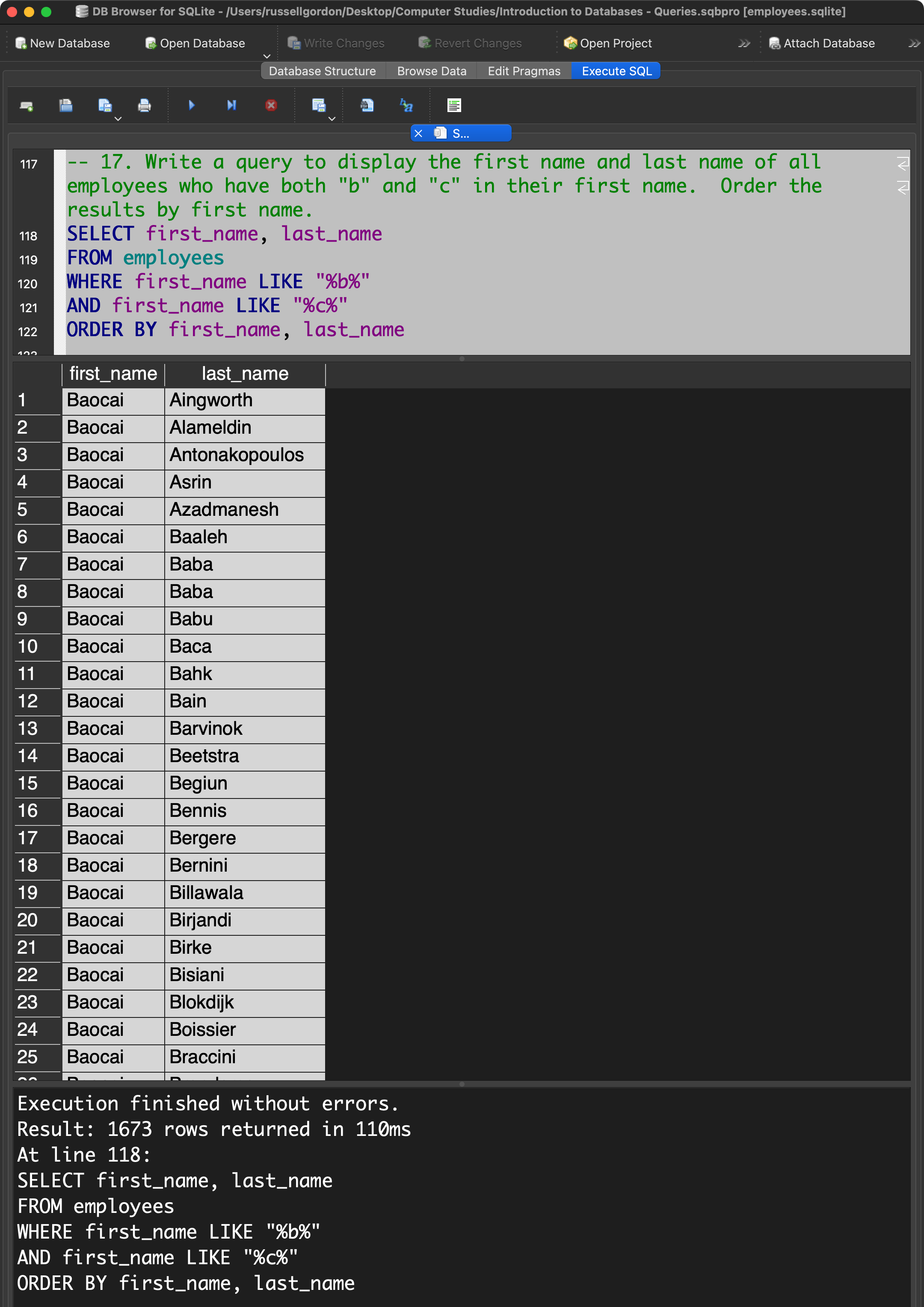
Sorting by first name and then last name as well was not required, but makes the results easier for a human being to review.
18
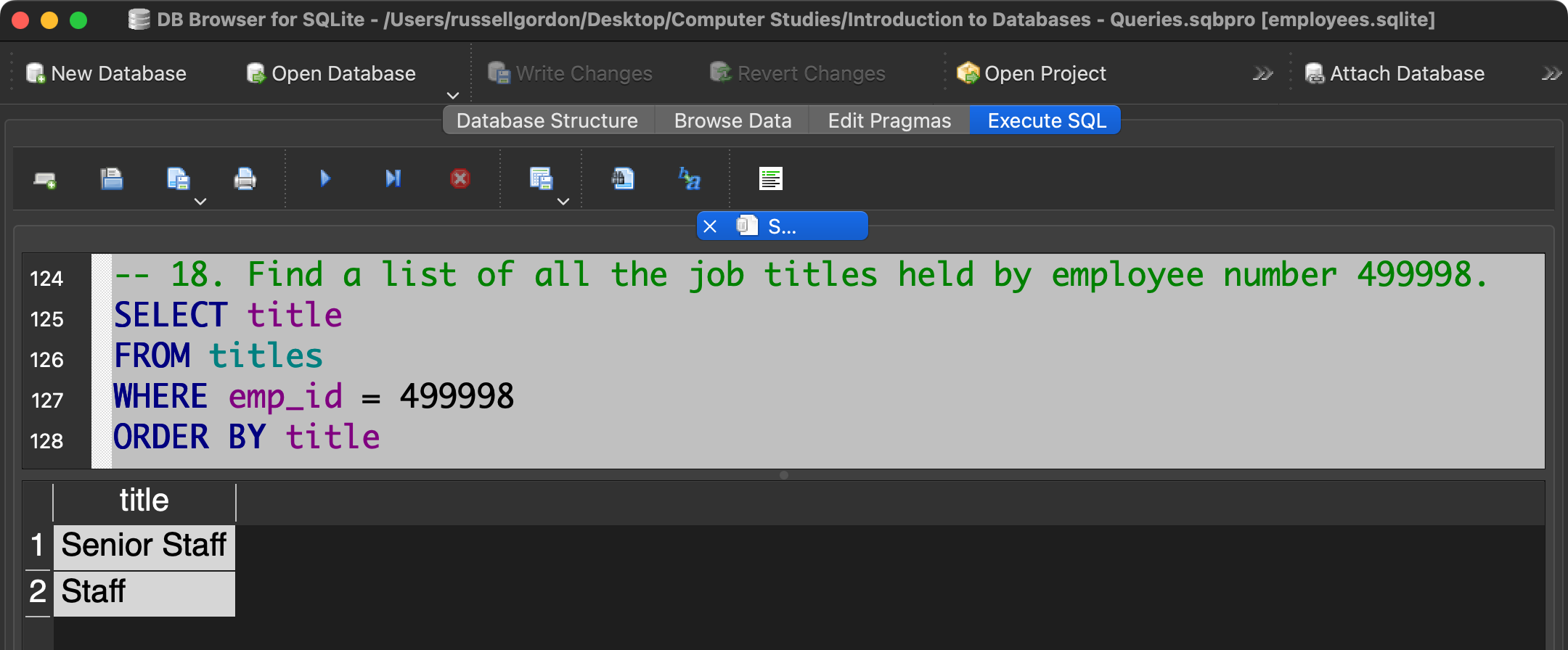
Find a list of all the job titles held by employee number 499998. List the job titles in alphabetical order.